Pinnacle USB Driver

Note: Installing and using the USB drivers for the TRAX Pinnacle is supported for Windows 7, 8, 10 & 11 operating systems. This driver also works with older models of the TRAX Pinnacle family, including the TRAX Apollyon models and TRAX Cycles Plus.

IMPORTANT: When you first connect a TRAX Pinnacle to your computer, the USB drivers are automatically available through the Windows Update website. This is the recommended method for installing the drivers.

If you have trouble installing the drivers automatically, they can be installed manually by downloading the drivers from the link below. The file you will download is TRAX Pinnacle USB Driver.zip. This is a zip file that contains the installation file necessary to load the USB drivers for the Pinnacle.
Installation Steps

Connect to the Correct Port

Pinnacle USB Driver 1

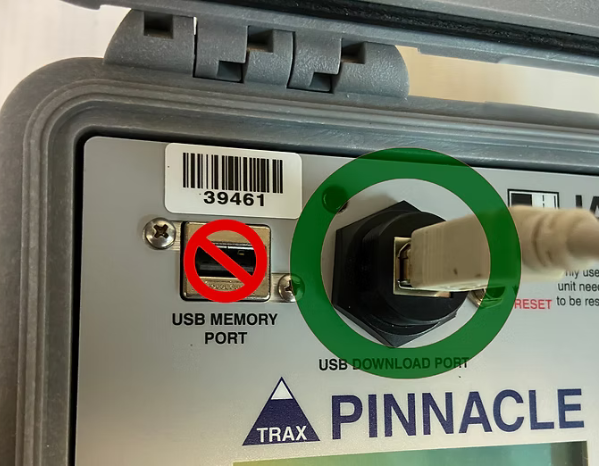
When connecting the USB cable to your Pinnacle, be sure to plug into the USB Download Port (not the USB Memory Port). The USB Memory Port should only be used for USB Flash Drives.

Also, be sure that no USB Flash Drive is plugged into the USB Memory Port while you are trying to use the Download Port. When you connect the Pinnacle, its USB driver should be automatically installed by Windows. If this does not occur, proceed with the manual steps below.

Extract the Driver Files

Pinnacle USB Driver 1 1

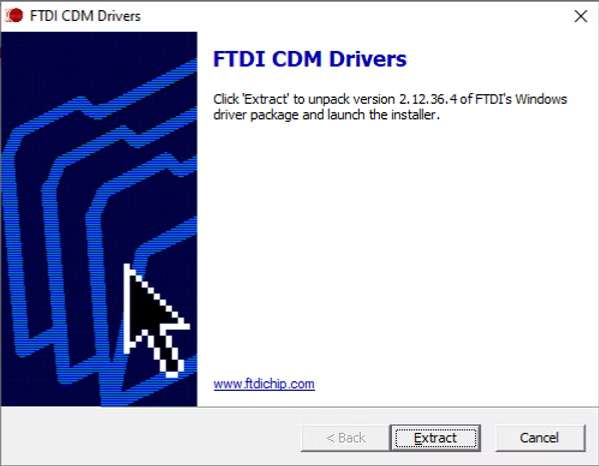
Download the driver using the link above, then double-click the file to start the installation. When the setup screen appears, click the Extract button.

Extraction Completion

Pinnacle USB Driver 1 2

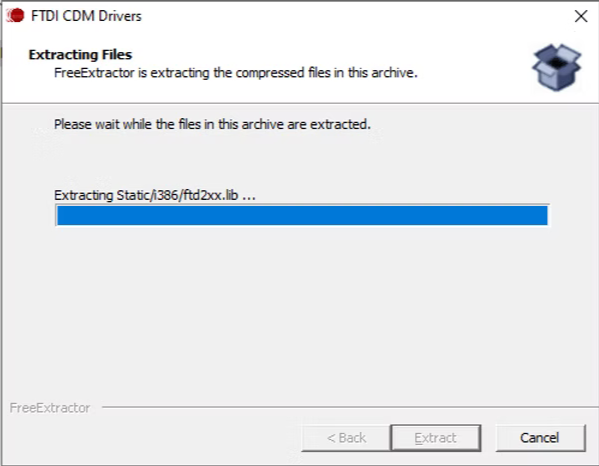
The files needed for the driver install will then be extracted to your computer.

Launch the Installation Wizard

Pinnacle USB Driver 1 3

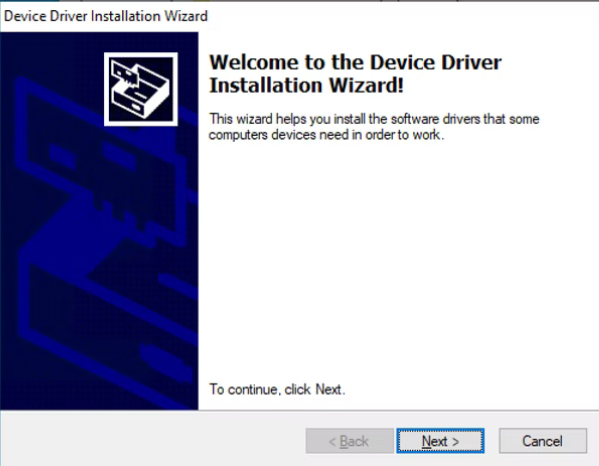
Once the files are extracted, the Device Driver Installation Wizard will appear. Click Next to start the installation process.

Accept the License Agreement

Pinnacle USB Driver 1 4

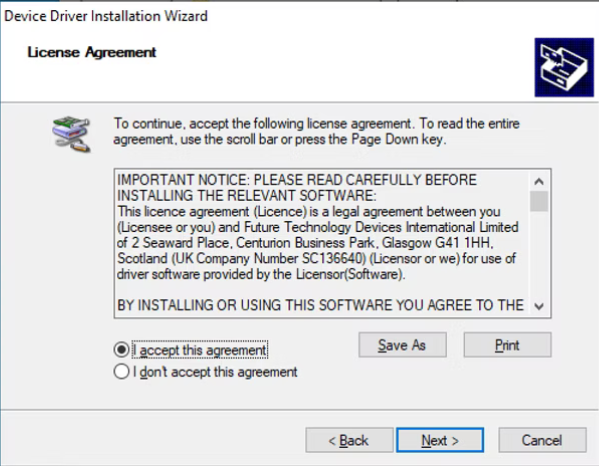
Review the License Agreement for the driver. To accept the agreement, click on I accept this agreement and then click the Next button.

Complete the Setup

Pinnacle USB Driver 1 5

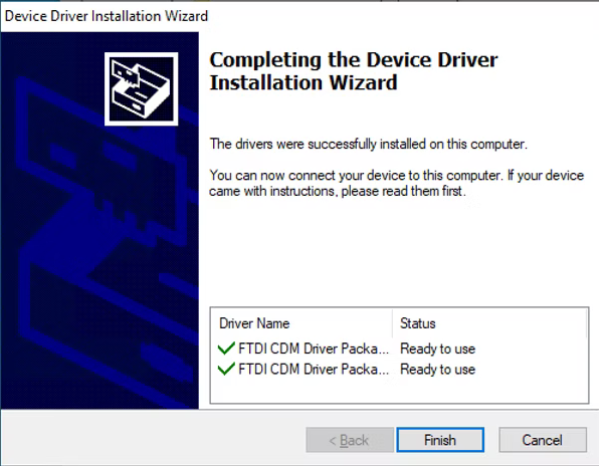
The driver files will then be installed. Once this process is complete, a confirmation screen will appear showing that the driver is ready to use.